Retrieving TVector3 From a Tree#
the old way#
As far as I know, “the old way” should work, even for non-primitive types
(such asTVector3 objects). As for the rather curious syntax of using a pointer and passing
the address of a pointer (see example below), this is simply how things are done in C++/ROOT
when it comes to non-primitive types.
Below I include a simple script that creates a tree containing a TVector3, which is
initialized to have \(x=1\), \(y=2\), and \(z=3\).
void write(){

  TFile * f = new TFile("out.root","RECREATE");
  TTree * t = new TTree("my_tree", "my_tree_title");
  TVector3 myVec(1,2,3);

  t->Branch("my_branch", &myVec);

  t->Fill();

  f->Write();
  f->Close();

}
And here is the corresponding script that retrieves the TVector3. We can print the \(x\)-value
of the vector to see that it is indeed the one we had stored in the tree.
void read(){

  TFile *inFile = TFile::Open("out.root");
  TTree *inTree = (TTree*) inFile->Get("my_tree");
  TVector3*inVec_ptr=nullptr;

  inTree->SetBranchAddress("my_branch",&inVec_ptr);
  inTree->GetEntry(0);

  std::cout<< inVec_ptr->X() << " " << inVec_ptr->Y() << " " << inVec_ptr->Z() << std::endl;

}
Note the usage of a pointer on the third line:
TVector3 * inVec_ptr=nullptr. Additionally, it seems like this pointer has to be
initialized to a nullptr.
And in the fourth line when we SetBranchAddress, we give the address of the pointer.
Again, this is just how C++/ROOT does things when it comes to non-primitive types, as
explained
on the ROOT forum.
the newer way#
The method introduced above worked for me when I create a simple tree containing a simple
vector. However, it did not work when I tried to retrieve the branch
“eventSummary.neutrino.path.direction”, which is a TVector3. I don’t know why I keep
getting a segmentation fault, but here is another
more modern method
of dealing with trees in general by using TTreeReader and TTreeReaderValue.
The following script worked on macOS as well as Fedora Linux.
void dir_plotter2(){

  TFile * f = TFile::Open("2023-11-09_nnt_100.0_energy_21/run1/IceFinal_1_allTree.root");
  TTreeReader myReader("allTree", f);

                // <this> has to match the type of whatever branch we are attaching my_Vec to
  TTreeReaderValue<TVector3> my_Vec(myReader,"eventSummary.neutrino.path.direction");
                // If we were to use this method for a primitive type, say flavor, we woud
                // instead write TTreeReaderValue<Int_t> ... to specify the integer type.

  TH1F * h = new TH1F("Run 1 x direction", "x direction", 400, -1 ,1);

  // start reading
  while( myReader.Next()){
    h->Fill(my_Vec->X());
  }

  h->Draw();
}
And below is the result:
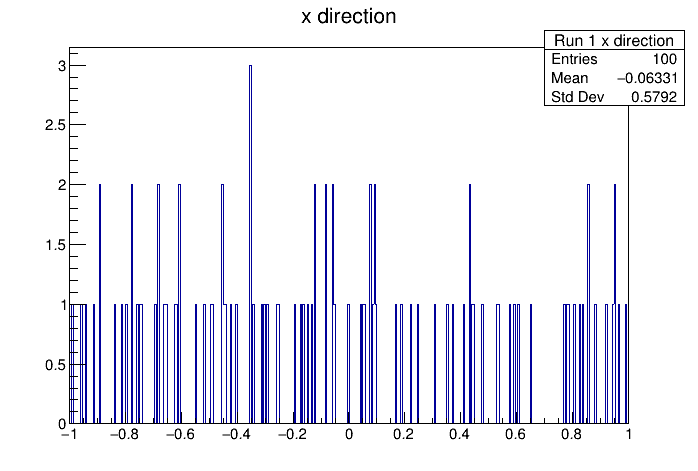
Fig. 14 A sample x direction plot using branch “eventSummary.neutrino.path.direction”, which is a
TVector3 type object.#
the newest way#
The newest way is of course to use RDataFrame, which provides a high-level interface for
accessing data stored in trees.
There is a comparison between the syntax of TTreeReader and RDataFrame in the
introduction section
in the CERN ROOT Reference Guide.
Below is a script for accessing the branch “eventSummary.neutrino.path.direction” using this method. The script is tested on macOS as well as Fedora Linux.
void dir_printer(){

                // "tree name", "file name"
  RDataFrame my_df("allTree","2023-11-09_nnt_100.0_energy_21/run1/IceFinal_1_allTree.root");

  // here is a user defined function. RDataFrame takes care of the interation over all entries
  // stored in the trees, so no while loop is needed.
  auto my_print_function=
    [](const TVector3& v){
      std::cout << v.X() << std::endl;
    };


  my_df.Foreach(my_print_function, {"eventSummary.neutrino.path.direction"});
}
The inline-function my_print_function is known as a C++ lambda expression, and it doesn’t
have to start with auto (see script below).
The script above simply prints out the \(x\) values of the 100 neutrino’s directions.
And below is a script for plotting these values:
void dir_plotter(){
  TH1F * h = new TH1F("Run1 X Direction", "X Direction", 400, -1, 1);

  RDataFrame my_df("allTree","2023-11-09_nnt_100.0_energy_21/run1/IceFinal_1_allTree.root");

  std::function<void(TVector3)> my_fill_function =
    [&h](const TVector3& v){
      h->Fill(v.X());
    };

  my_df.Foreach(my_fill_function, {"eventSummary.neutrino.path.direction"});

  h->Draw();
}
In this case we swapped out the auto type for something more explicit.
Also worth noting is the usage of the
capture clause
[&h]. Without this, we would get an error message:
“variable cannot be implicitly captured in a lambda with no capture-default specified.”
This error message is explained here.
Here is the output of the above script:
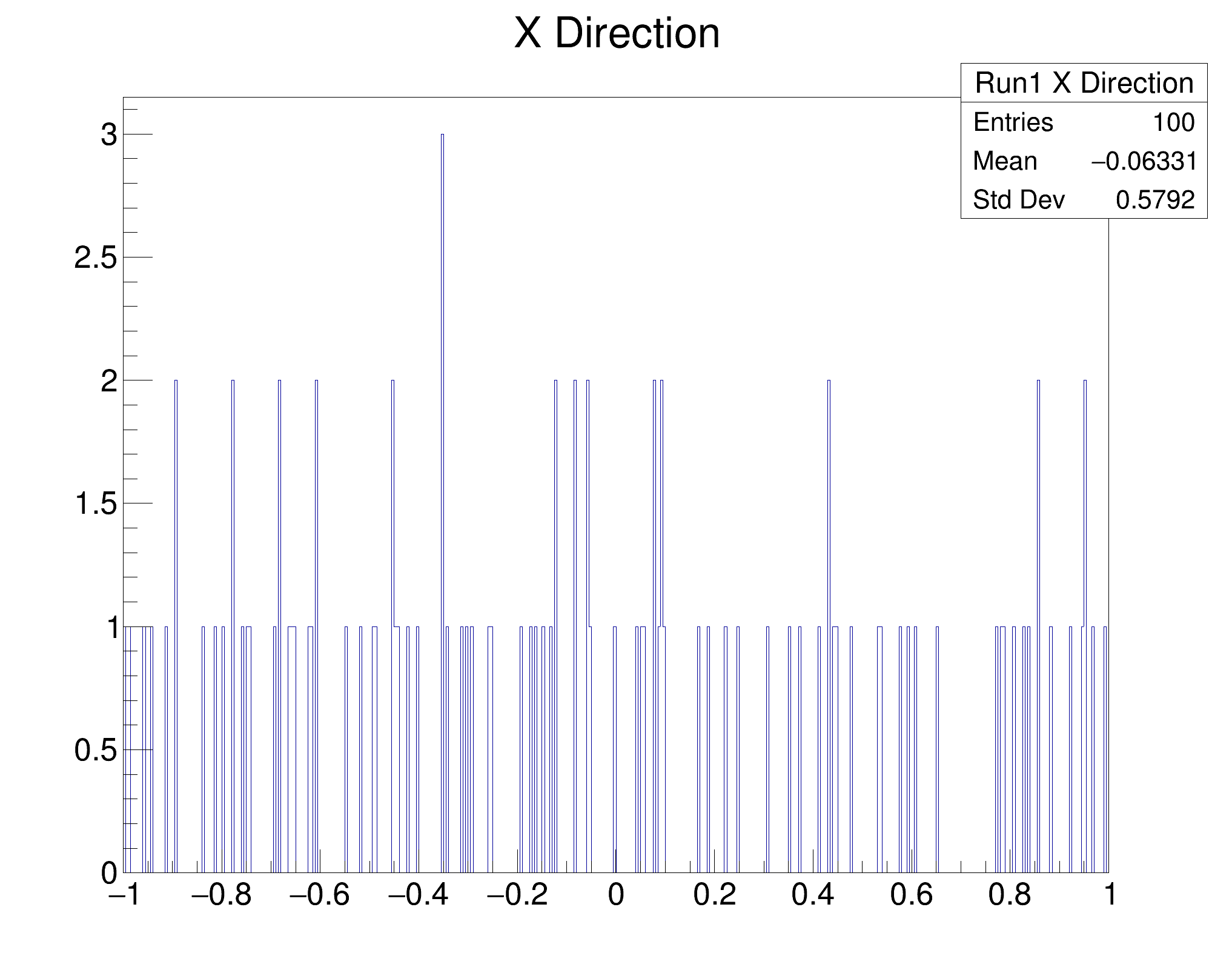
Fig. 15 Another sample x direction plot, this time using RDataFrame.#
which is the same as figure 3.